
Newark Advocate
USA TODAY Co.News & Magazines
3.545.00 Reviews
- Version
- 8.10.3
- Installs
- 10.00K
- Age Rating
- Everyone 10+
Screenshots


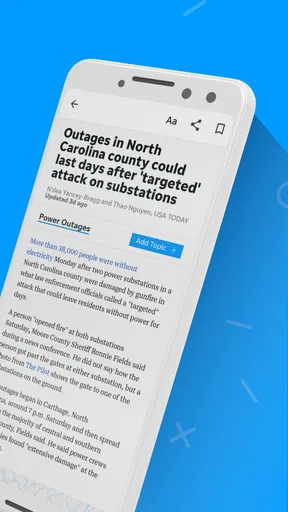

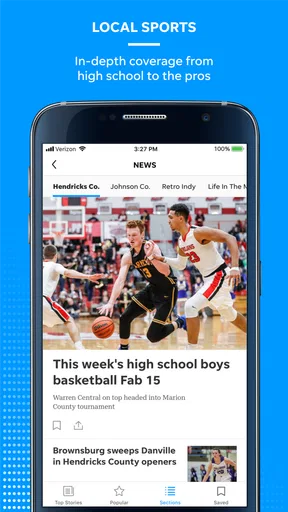


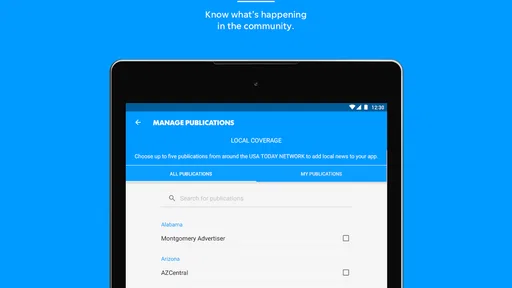
Our Review of Newark Advocate
 Analysis by Appyee
I approached Newark Advocate as a focused way to follow news from Newark alongside broader national coverage, rather than as an all-purpose news reader. It belongs to the News & Magazines category and comes from USA TODAY Co., but the experience feels most useful when local reporting is the reason I open it. The store summary points to local and national news, photography, and video, and that combination gives the app a clear role: it is meant to keep me close to a community while still giving me a wider view of the day.
What matters most in daily use is not simply how many stories appear, but how quickly I can understand what deserves attention. I found the app easier to judge as a routine news companion than as a replacement for every source I already use. It can serve someone who wants Newark-focused updates in one place, especially if local events, community developments, and regional context are more important than building a huge, customizable national news feed.
How Newark Advocate feels during an ordinary news check
I find an ordinary check works best when I decide what I want to learn before opening the feed: a local update, a fuller read, or a visual account of an event. That small pause helps me judge whether an article or its media adds useful context, rather than letting a quick visit turn into aimless scrolling. It also sets up the next question: what can I actually verify about trust and control?
A practical starting point for local and national coverage
My preferred way to use Newark Advocate is in short sessions. I open it when I have a few minutes, scan the leading local items, and then move toward national coverage if I want more context. That order makes sense because the app’s strongest identity is its connection to Newark. Starting with local news keeps the experience from feeling like a generic national publication with a local label attached.
The mix of written reporting, photography, and video also changes how I consume the information. A text story is better when I need details, while a strong image can communicate the setting of an event before I read further. Video is useful when the subject benefits from seeing a scene or hearing the people involved. In practice, I would not treat every format as equally convenient in every situation. Reading is usually the better choice on a busy commute or in a quiet public place, while video makes more sense when I have time and a suitable connection.
One useful habit is to separate “quick awareness” from “full reading.” I can scan headlines first, save my attention for the stories that affect my community, and avoid spending the whole session moving through every item. That makes the app feel less demanding than a constantly updating national feed. The real strength is its local focus, not an attempt to be everything at once.
What speed feels like when I open it
Perceived speed depends on what I am asking the app to show. A text-heavy news check generally feels more immediate than moving through image-rich pages or video content. That is not a criticism unique to this app; richer media naturally asks more from the device and connection. Still, it affects how I plan to use Newark Advocate. For a fast headline check, I expect the app to be most comfortable. For a visual story, I give it more time and avoid judging the whole experience by the first moment of loading.
I also prefer opening it with a specific purpose. If I want to know what is happening locally, I can focus on the relevant section instead of wandering through every available item. This reduces the sense of waiting because I am not asking the app to become an endless stream. It also makes the news easier to remember: one local story, one broader story, and perhaps a video if the subject deserves it.
The current version is 8.10.3, so users are working with a relatively defined release rather than an old, abandoned product. I would still keep the app updated through the normal store process, especially for a news application where changes to content delivery and media handling can affect the everyday experience. The app has been available since August 31, 2012, which gives it a long presence compared with many short-lived local news products.
When heavier use changes the experience
The most demanding sessions are the ones where I move rapidly among several stories, open photography, and try video in the same visit. That pattern asks more of both the app and the phone than reading a single article. If I am on a limited connection, I would be selective about video and let text do most of the work. If I am on a newer device with plenty of available storage and a strong connection, the richer presentation becomes easier to appreciate.
A realistic example is a morning when a local event is developing. I might begin with a short check before work, return at lunch for additional reporting, and then watch a related video at home. That three-part routine is more sensible than trying to consume every format in one sitting. The first visit gives me awareness, the second helps me see whether the story has changed, and the evening session gives me room for visual material. This workflow also reduces unnecessary resource use because I am not repeatedly loading everything at once.
Another heavy-use moment is following several unrelated topics in a single session. Local news may lead me to national coverage, then a photograph may pull me into a longer story, and a video may add another layer. I like having those formats close together, but the trade-off is attention. A visually rich news app can encourage me to keep opening items even after I understand the main point. I recommend deciding what question I want answered before I start scrolling.
Stability and recovery after interruptions
News apps are often used in imperfect conditions: I may lock the screen, switch to a message, lose a connection, or return after the phone has reclaimed memory. For Newark Advocate, I judge reliability by how easily I can resume the task rather than expecting every session to be uninterrupted. A short headline check should be treated differently from a video session, because video is naturally more sensitive to connection quality and device pressure.
My practical recovery routine is simple. If an article does not appear correctly after an interruption, I return to the main news view instead of repeatedly tapping the same item. I then reopen the story once. If I was watching video, I treat restarting the media as more reasonable than assuming the entire app has failed. This approach avoids wasting time and helps distinguish a temporary loading issue from a broader stability problem.
I also prefer not to leave a long, media-heavy session running in the background while doing other tasks. That is good practice for any news app containing photography and video, but it is particularly relevant here because the app’s value includes those richer formats. Closing it when I am finished gives the phone a clearer workload and makes the next short visit feel more intentional.
The app’s average rating is 3.5 from around a hundred ratings, with dozens of written reviews. I read that as a sign that expectations may vary considerably. Some people will value the local reporting enough to overlook rough edges, while others may compare it with larger national apps and expect a smoother, broader experience. I would not choose it solely because of the rating; I would choose it because Newark coverage is personally useful.
Resource demands and older devices
Newark Advocate supports devices running Android 8.0 or later, which makes it accessible to people who are not using the newest phone. That does not mean every older device will handle rich news content identically. A phone can meet the operating-system requirement and still feel less comfortable when several images or videos are opened in quick succession. The difference is especially noticeable when storage is tight or many other apps are active.
On an older phone, I would use the app mainly for text and occasional photography, leaving video for moments when the device is cool and responsive. I would also avoid keeping numerous apps open before starting a longer session. These are small changes, but they can make a local news app feel more dependable without pretending that an older handset has the same headroom as a modern one.
On a newer phone, the visual side becomes a more convincing part of the experience. Larger screens make photography easier to examine, and a stronger device is more likely to keep the transition between reading and media comfortable. Even then, I would not call the app lightweight in every situation simply because it is a news app. Rich content has a cost, and the sensible approach is to use the format that matches the moment.
Battery-conscious users should think about how often they watch video rather than assuming that every visit has the same impact. A quick text scan is a different workload from repeatedly opening visual stories. If I am away from a charger, I keep the session short and prioritize the local headlines. That preserves the app’s main benefit without turning a simple news check into a longer media session.
Who will get the most from it
I would recommend Newark Advocate to readers who have a direct interest in Newark and want local reporting beside national news. It is also a sensible option for someone who prefers a community-oriented publication over a broad aggregator that mixes stories from many unrelated sources. The photography and video give readers more than a plain headline list, particularly when an event is easier to understand through images.
It may also suit families who want to discuss local developments together. Because the content is rated Everyone 10+, it is positioned for a broad audience, although I would still use personal judgment with individual news stories. The age label does not make every subject comfortable for every reader; it simply indicates the app’s general suitability classification.
I would be more cautious about recommending it to someone who wants a single app for international reporting, deep customization, or a large collection of unrelated publications. A major national news application or an aggregator may be better for that purpose. Likewise, if I mainly want breaking alerts from many regions, a dedicated national service may provide a wider net. Newark Advocate makes more sense when local relevance is the deciding factor.
Free access and the subscription decision
The app is free to install, which makes it easy to try without committing money at the start. It includes in-app purchases ranging from $9.99 to $69.99 per item, so I would pay attention to the purchase screen and understand what an offered item provides before confirming anything. The important question is not simply whether the app costs nothing to download, but whether the available reading experience matches my expectations without requiring a purchase.
For a casual reader, the free entry point is useful: I can test the local focus, the presentation, and the way the app fits my routine before deciding whether additional access is worthwhile. For a frequent reader, a purchase could be easier to justify if it supports the kind of coverage I regularly use, but I would make that decision based on actual reading habits rather than the presence of a discount or a promotional message.
My advice is to spend several ordinary days with the app before paying for anything. Use it during a short morning check, revisit it when a local story develops, and try its photography or video when convenient. That reveals whether Newark coverage is valuable enough to become part of my routine. It also prevents me from paying for a level of access when I only wanted occasional headlines.
How it compares with familiar alternatives
Compared with a general news aggregator, Newark Advocate feels narrower but potentially more meaningful. An aggregator offers breadth and variety, yet local reporting can become just one item among thousands. Here, the Newark connection is the reason to return. The trade-off is that readers seeking a wide international mix may find the experience less complete.
Compared with reading news in a mobile browser, a dedicated app can feel more direct for repeated visits. I do not have to begin each session by searching for the publication, and the combination of articles, photography, and video is presented as one news experience. A browser may still be preferable when I want to keep fewer apps installed, compare several sources side by side, or avoid adding another app to an older phone.
Compared with a large national news app, this one has a clearer community identity. The larger service may offer more sections, more extensive national depth, and a stronger choice of topics. Newark Advocate wins when the question is, “What is happening around Newark?” It loses when the question is, “What is the complete news picture across every region and subject?” That distinction should guide the download decision.
Small workflow choices that improve the experience
I get more from the app when I use a three-pass routine. First, I scan local headlines without opening everything. Second, I choose one story that affects my immediate area and read it carefully. Third, I decide whether a photograph or video adds information or merely extends the session. This keeps the app from becoming passive scrolling and makes each visit more useful.
I also avoid judging a story from its headline alone. Local news often depends on details such as location, timing, and who is affected. When a headline concerns my community directly, I open the full article rather than relying on a short summary. For national stories, I am more selective and use them for context around the local picture.
When a video is important but the connection is not ideal, I return to the written story first. That gives me the essential information without waiting for media to behave perfectly. Later, when conditions are better, I can revisit the visual material. This is one of the clearest trade-offs in the app: video can deepen the story, but it should not become the only path to understanding it.
Finally, I keep expectations realistic on an older phone. Meeting the Android requirement does not guarantee identical responsiveness across every device. A short, text-focused session is the safest choice when the phone is already busy. That approach makes the app more practical for people who want local news without replacing their handset.
My performance verdict
After weighing speed expectations, heavier media use, recovery, and device limits, I see Newark Advocate as a focused local news tool rather than a universal news platform. Its best moments come when I want Newark reporting presented with enough national context to understand why a story matters. The photography and video add value when I have time for them, while text remains the dependable foundation for quick checks.
It is not the right choice for everyone. Readers who want enormous breadth, extensive personalization, or a single feed covering the entire world may be happier with a larger national app or an aggregator. People with older or heavily loaded devices should also favor shorter reading sessions and use video selectively. Those limitations are manageable, but they are part of the honest picture.
For me, the free download makes trying it straightforward, and the long-running presence of the publication gives the app a clear reason to exist. I would recommend Newark Advocate to a friend who cares about Newark and wants a convenient mix of local reporting, national stories, photography, and video. I would tell that friend to judge it by one simple test: after several days, do the local stories make me return? If the answer is yes, this app earns a place in the news routine. If not, a broader alternative will probably serve better.
Verdict
Strengths of Newark Advocate
- Covers local Newark and Licking County news in one place.
- Offers breaking news alerts for important local developments.
- Includes community events, sports, and regional updates.
- Digital access is convenient for reading on phones and tablets.
- Supports staying informed about nearby schools and public issues.
Limitations of Newark Advocate
- Some articles may require a subscription or account to read fully.
- Advertising can interrupt browsing and reduce reading space.
- Coverage is mainly local, with limited broader national reporting.
- Push notifications may feel frequent unless carefully customized.
- App performance and content availability can vary by device or connection.
Other Releases by USA TODAY Co.
View All
IndyStar: Indianapolis Star
News & Magazines2.7

AZ Central: Arizona Republic
News & Magazines2.5

The Detroit News: Local News
News & Magazines3.1

Detroit Free Press: Freep
News & Magazines3.0
Similar Picks in This Category
View All
Google News - Daily Headlines
Google LLC4.0

X
X Corp.4.8

Flipboard:Your Social Magazine
Flipboard3.4

Opera News: breaking & local
Opera4.5

Hindi News by Dainik Bhaskar
Dainik Bhaskar Group4.0

Way2News Daily News App
Way2News ( Formerly Way2SMS )4.6
Frequently Asked Questions
What is the Newark Advocate app?
The Newark Advocate app is a mobile news platform focused on Newark, Licking County, and surrounding communities in Ohio. After installing it, users can browse local reporting, breaking news, sports coverage, opinion pieces, business updates, entertainment stories, and community information. Its main purpose is to provide a convenient way to keep up with regional events without relying only on the newspaper’s website.
Is the Newark Advocate app free to download and use?
The app is generally free to download, and users can access some articles and features without paying. However, access to the complete news library may depend on the current subscription policy, which can include article limits, digital membership requirements, or a paid subscription. Before downloading, check the listing and in-app account or subscription details for the latest pricing and access conditions.
What kind of news and content can I find in Newark Advocate?
The app concentrates on local journalism, including Newark and Licking County news, public safety reports, local government, schools, community events, sports, business, and human-interest stories. It may also provide broader Ohio, national, and international coverage. Based on the sections available, it is most valuable for readers who want detailed regional reporting rather than a general-purpose national news application.
Does the Newark Advocate app send breaking-news notifications?
Yes, the Newark Advocate app may support notifications for breaking news, important local developments, sports updates, and other selected topics. Notification availability and categories can vary by app version and device settings. After installation, review the notification preferences so you receive useful alerts without being overwhelmed. You can normally change or disable alerts later through the app or your phone’s settings.
Do I need an account or subscription to read Newark Advocate articles?
Some content may be available without signing in, but an account can be required for personalized features, saved articles, newsletters, or access to subscriber-only stories. The app may also limit the number of articles non-subscribers can read during a specific period. If you regularly follow local coverage, review the subscription terms, renewal conditions, and cancellation options before starting any paid plan.
